


Download And Convert YouTube Video Clips to MP3
The emergence of YouTube has created an absolutely free platform for creative and innovative composers to showcase their talent in music. Sometimes you can find some catchy tunes, lovely medleys or brilliant songs from little known composers in YouTube. You can actually download them in MP3 format and play them from time to time with your MP3 player. To download and convert the interesting YouTube videos into MP3 files, you can try some conversion applications such as “Free YouTube to MP3 Converter”, etc. However, if you are not so keen to install software into your computer, then there are several web services which provide the same features that you actually can consider: –
VidToMP3
VidToMP3 allows users to download the audio files from YouTube’s video clips. The conversion process is pretty simple:
1. Locate the video clip which you want to download the audio file.
2. Go to VidToMP3
3. Copy the URL and paste it into the text box as shown below:
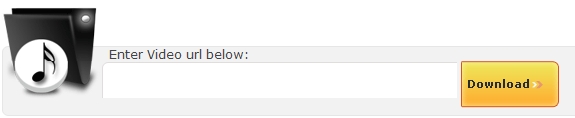
4. Click “Download” and wait for the conversion to start.
5. When conversion is complete, click on “Download MP3”.
6. Done
YoutubeFisher
YoutubeFisher is a standalone application which allows users to download a YouTube video or save an audio track only directly from the YouTube site.
MP3 Getter
MP3 Getter is another useful web service which can perform the same function. Unlike VidToMP3, users can use the search engine in the website to locate the YouTube video clip which they want to convert to MP3 file. The search engine will display all the relevant video clips based on the search words. Users can click on the video clips to process the download task. The only setback for MP3 Getter is the language used. MP3 Getter is a German based website and the site content is in German language. Non German speakers might feel uncomfortable using it. Having said that, the website has organized the download process in a structured manner which makes it easier for non German speaking users. If you want to try it out, you can follow the following process:
1. Go to MP3 Getter
2. Type in the Video you want to locate in the search box and press Enter
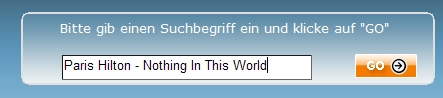
3. The search result will be shown on the MP3 Getter’s main page. Choose the Video Clip that you want to convert to MP3 file.

4. A new Windows playing the YouTube video clip will automatically prompt out
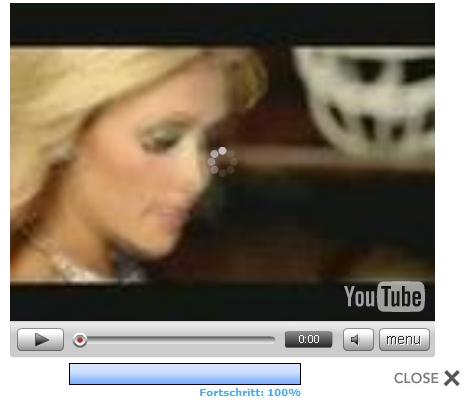
5. Once the buffering process is completed, a new message box will pop out to ask “Do you want to open or save this file”
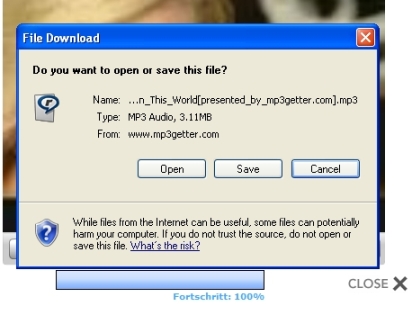
6. Save the file and Done.


Recent Articles
- How To Download HBO Shows On iPhone, iPad Through Apple TV App
- Windows 10 Insider Preview Build 19025 (20H1) for PC Official Available for Insiders in Fast Ring – Here’s What’s News, Fixes, and Enhancement Changelog
- Kaspersky Total Security 2020 Free Download With License Serial Key
- Steganos Privacy Suite 19 Free Download With Genuine License Key
- Zemana AntiMalware Premium Free Download For Limited Time