
Tips on How to Open Two Gmail Accounts at Once

Tired of switching between different Gmail accounts? Here’s a great tips on how you can open more than one Gmail accounts at the same time. Why need to frequently logout and login again when you can have both Gmail accounts presented to you all at once.
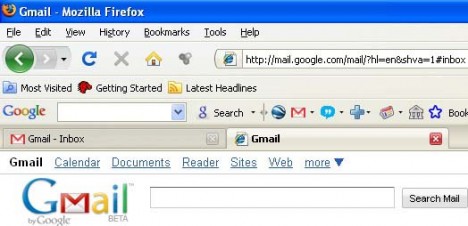
two-gmail-accounts

The simplest way, of course, is to use multiple browsers. You can open up to 3 Gmail at once by running Internet Explorer, Mozilla Firefox and Apple Safari. By doing so, you can easily switch between those browsers in order to access your different e-mail accounts.

Some might find the above rather troublesome and prefer to use just one single browser. In order to do that, you will need Mozilla Firefox and another extension called the IE Tab Add-On. You can download free IE Tab Add-On here.
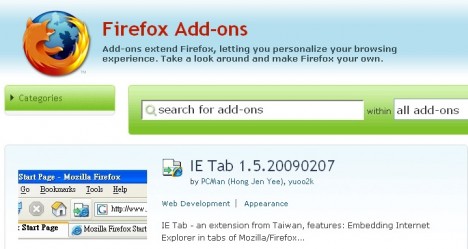
ie-tab-add-on

Once this extension is added into your Firefox browser, you can open up one Gmail account in the regular Firefox tab and another Gmail account by right click and selecting on the Open in IE Tab. And bingo! Now you can have two Gmail accounts opened at the same time.

Last but not least, the trick is to use Incognito mode of Google Chrome web browser to open more than one login session of Gmail, or use “nomerge” switch of IE8 to launch separate session browser window which allows multiple Gmail logins.


2 Responses to “Tips on How to Open Two Gmail Accounts at Once”

  1. Login to Two Google, Gmail, Yahoo!, Windows Live Hotmail and Other Accounts with Google Chrome Incognito Mode » My Digital Life
    July 21st, 2009 13:35
    2

    [...] ways to open more than one Gmail account simultaneously are [...]

  2. How to Open Multiple Gmail Accounts Simultaneously In Internet Explorer 8 » My Digital Life
    July 21st, 2009 13:29
    1

    [...] the easiest way of course is to open another browser, say, Firefox or Safari as suggested in our earlier post. Alternately, users can utilize the IE8’s built-in NoMerge feature. Via simple alteration to [...]

Leave a Reply

You can use these tags: <a href="" title=""> <abbr title=""> <acronym title=""> <b> <blockquote cite=""> <cite> <code> <del datetime=""> <em> <i> <q cite=""> <strike> <strong>

Subscribe to comments feature has been disabled. To receive notification of latest comments posted, subscribe to Tip and Trick Comments RSS feed or register to receive new comments in daily email digest.
Custom Search

Incoming Search Terms for the Article

two gmail accounts - open two gmail accounts at the same time - can i have 2 gmail accounts - how to open two gmail accounts at once - open 2 gmail accounts at once - can i have two gmail accounts - 2 gmail accounts open - Open Gmail Account - 2 gmail accounts - open two gmail accounts at once - two gmail accounts at the same time - how to open 2 gmail accounts - two gmail addresses - 2 gmail accounts at once - can you have 2 gmail accounts - how to open 2 gmail accounts at the same time - opening two gmail accounts simultaneously - gmail - can you have two gmail accounts - open two gmail accounts - how to have two gmail accounts open at the same time - how to open two gmail accounts at the same time - how to have two gmail accounts open - two gmail accounts in one - have two gmail accounts open at once - open another gmail account - can i have more than one gmail account - Open Gmail - two gmail accounts open at the same time - can i have two gmail accounts? - have 2 gmail accounts open at same time - 2 gmail addresses - open 2 gmail accounts - two gmail accounts open at once - How to Open a Gmail Account - more than one gmail account - two gmail accounts open - can you have more than one gmail account - can i have two gmail addresses - open more than one gmail - can i have 2 gmail accounts? - 2 gmail accounts in one - can I have 2 gmail addresses - open more than one gmail account - two gmail accounts on one computer - more than one gmail - how to have 2 gmail accounts open at the same time - open 2 gmail accounts at the same time - i have two gmail accounts - having two gmail accounts open at once -

