


Belkin Easy Transfer Cable for Windows 7 Simplifies Upgrading Process
Windows 7 is the latest version of Microsoft Windows. Many of us may want to upgrade their old version of Windows to Windows 7. Upgrading to a new operating system is not simple but can be rather messy and time consuming. You need to find all your data, files and user settings, and save them into a storage folder in order to do the upgrading.
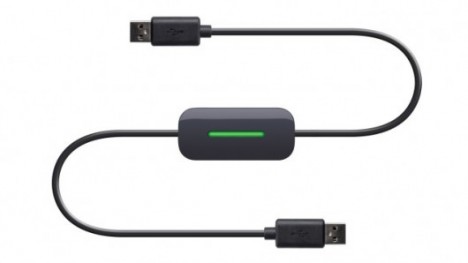
Belkin, the global specialist and manufacturer in connectivity devices, has announced its new Easy Transfer Cable for Windows 7 recently. The cable is designed to simplify the transfer process with no interruption. It provides a fast and easy solution to migrate all of your files (music, photo, movies, documents, etc), folders, user accounts, email messages and more automatically from your Windows XP or Windows Vista computer to a new Windows 7 computer. A post-migration comprehensive report will be provided to show all transferred data, programs and settings.
The setup is just in 3 easy steps: install software, connect the USB 2.0 cable to two computers (one end is a computer running either Windows XP or Vista and the other end’ in a computer running Windows 7), and follow on-screen prompts. Belkin’s Easy Transfer Cable is designed to work with the Windows Easy Transfer utility from Microsoft.
The Easy Transfer Cable for Windows 7 will be available at $39.99 in North America and scheduled to hit Europe and Asia on the first quarter of 2010.


Recent Articles
- How To Download HBO Shows On iPhone, iPad Through Apple TV App
- Windows 10 Insider Preview Build 19025 (20H1) for PC Official Available for Insiders in Fast Ring – Here’s What’s News, Fixes, and Enhancement Changelog
- Kaspersky Total Security 2020 Free Download With License Serial Key
- Steganos Privacy Suite 19 Free Download With Genuine License Key
- Zemana AntiMalware Premium Free Download For Limited Time