


VMware Server 2.0 Beta 2 Direct Download Link with Serial Number
VMWare Server is a free virtualization software from world’s leading enterprise level virtualization development company. The new version of VMWare Server, version 2.0, has now available in Beta 2 release. The main change is that VMWare Server now utilizes VMWARE Infrastructure (VI) Web Access management interface, and has virtual machine console that independent of the VI Web Access management interface with resizeable console windows.
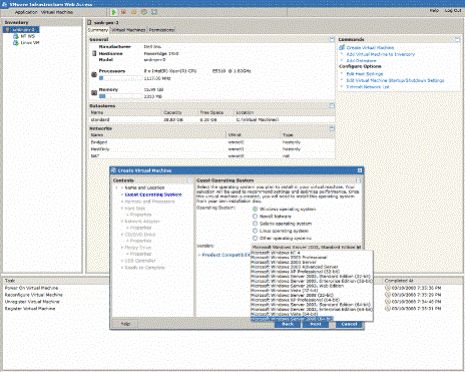
New features and enhancements in VMWare Server 2.0 Beta 2 include support for USB 2.0 devices, multi-tiered permissions, ability to automatically start your virtual machines, link to Virtual Appliance Marketplace. Other features and changes added since VMWare Server 2.0 Beta include new operating system support such as Windows Vista Business Edition and Ultimate Edition (guest only), Windows Server 2008, Red Hat Enterprise Linux 5 and Ubuntu 7.10 in 32-bit and 64-bit versions, support for up to 8 GB of RAM (up from 3.6 GB in Server 1.0) per virtual machine, 10 virtual network interface cards, up to two virtual SMP (vSMP) processors per virtual machine, 64-bit guest operating system support, support for Virtual Machine Interface (VMI) and support for VIX API 1.5 which enables transparent paravirtualization, a programming interface for automating virtual machine and guest operations.
To download VMWare Server 2.0 Beta 2, registration is required. However, it can be skipped by directly going to the download page. The serial number (Serial Number for Windows: 98DF1-RDX4K-K5QDH-4RNJT and Serial Number for Linux: 9AXF4-R69D2-JEQ4N-4H4JR) is also listed on the page.


Recent Articles
- How To Download HBO Shows On iPhone, iPad Through Apple TV App
- Windows 10 Insider Preview Build 19025 (20H1) for PC Official Available for Insiders in Fast Ring – Here’s What’s News, Fixes, and Enhancement Changelog
- Kaspersky Total Security 2020 Free Download With License Serial Key
- Steganos Privacy Suite 19 Free Download With Genuine License Key
- Zemana AntiMalware Premium Free Download For Limited Time