


Media Buttons Disabler Plugin to Remove “Add Media” Icons in WordPress 2.5
Media Buttons, the “Add Media” buttons is a new addition in WordPress 2.5 which replaces the static “Upload” box below the post editing field. When click on one of the buttons, such as “Add an Image”, “Add Video”, “Add Audio” or “Add Media”, a Flash based Media and File Uploader which supports multi-file upload with uploading progress status bar indicator will be opened.
Media Buttons Disabler plugin for WordPress can remove the these media buttons, so that nothing is placed on the bar on top of the post/page writing field, and the view is clean.
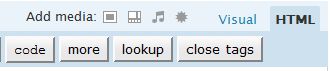
Default WordPress administration’s post or page writing and editing page with Add Media Buttons.
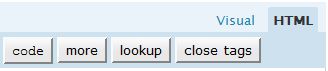
Media Buttons Disabler removes the media buttons away, the whole component of it, even if there is another plug-in that expands, adds, removes, replaces or customizes the media buttons.
Media Buttons Disabler is only useful if bloggers are certain and sure that they no longer need the uploading functionality in the WordPress (you don’t have any upload box from the post or page editing/writing page after disable the media buttons), or you have other plugin that provides such uploading function, or willing to use FTP or SFTP service to manually upload the images, pictures, photos, videos, audios, musics and other media or files to the server.
Download media-button-disabler.zip.
Extract the media-button-disabler.zip to get media-button-disabler.php. Then upload the media-button-disabler.php to /wp-content/plugins/ directory. Then activate the Media Buttons Disabler plugin in the WordPress Plugins page.
Media Button Disabler works on WordPress 2.5 or above.


Recent Articles
- How To Download HBO Shows On iPhone, iPad Through Apple TV App
- Windows 10 Insider Preview Build 19025 (20H1) for PC Official Available for Insiders in Fast Ring – Here’s What’s News, Fixes, and Enhancement Changelog
- Kaspersky Total Security 2020 Free Download With License Serial Key
- Steganos Privacy Suite 19 Free Download With Genuine License Key
- Zemana AntiMalware Premium Free Download For Limited Time