


How to Install MUI Language Files in Windows Vista
Multilingual user interface (MUI) language packs in Windows Vista enables users to change the language Windows uses to display text in wizards, dialog boxes, menus, and other items in the user interface. Every Windows Vista system actually run on a display language that installed while setup Windows Vista. To change or switch to other different display languages, additional MUI language packs have to be installed.
Users can download and install additional language packs via Windows Update (only Windows Vista Ultimate and Windows Vista Enterprise editions have license and rights to install more than one copy of MUIs), or if these MUI language pack files already been downloaded on to the computer or on Windows DVD, use the guide below to install the new display language.
How To Install a Multilingual User Interface Pack (MUI)
- Click on Start Menu, then go to Control Panel.
- Click on Clock, Language, and Region option (or Regional and Language Options icon in Classic View).
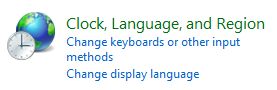
- Click on Install or uninstall display languages under “Regional and Language Options”. For users on Classic View, click on Keyboards and Languages tab, then click on Install/uninstall languages under “Display language”.

- Enter administrator password or click on Continue when prompted with User Account Control dialog by Language Pack Installer.
- In the Language Packs Installation and Uninstallation wizard, click on Install languages.
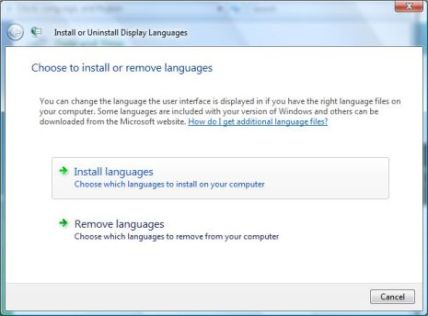
- Then type or browse to the folder that contains the language pack files. The language file must be in .CAB extension, typical named as “lp.cab”. Note that you just need to specify the top level folder that contains the language files, regardless of the level of folders nested. Language pack installer will search recursively.
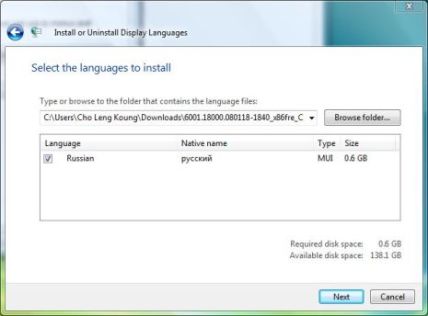
Once selected the folder, the installer will scan the directories and list all languages available to install, together with native name, type (MUI or LIP) and size.
- Select and tick the check boxes of all languages that want to be installed. (actually, the check boxes are checked by default, so you should untick and uncheck the check boxes of display languages that don’t want to be installed)
- Click on Next button when ready.
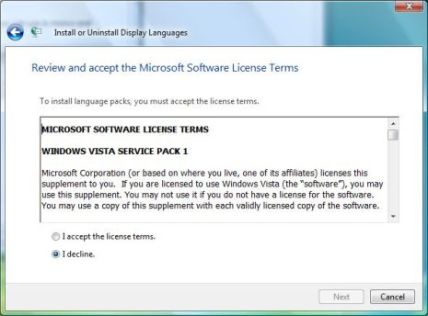
- Click on radio button for I accept the license terms, then click on Next button.
- On the summary page on which language(s) will be installed, click on Install button.
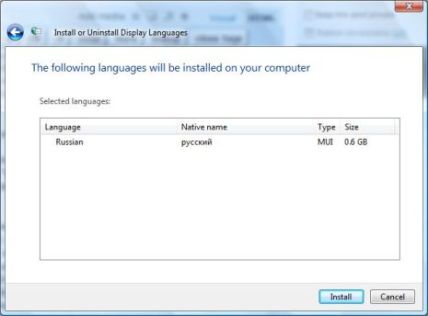
- Wait for the installation to finish, which may take a while. A restore point will firstly be created.
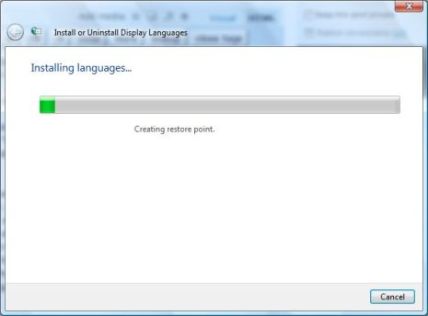
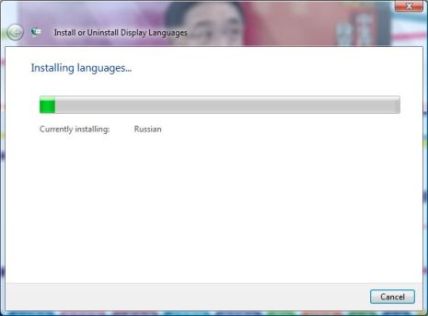
- Once all selected language files is installed successfully, a confirmation screen will be shown. From here, click on Close button to exit, or check the Change my display language to option, then select a language set from the drop down list, optionally decide whether to apply changes to system accounts (will change the language on Welcome Scree etc.), and then click on Log off to logout and login again to use Windows Vista in new display language.
Note: The Display language section will only be visible if you have already installed a LIP or on Windows Vista Ultimate and Enterprise editions that Windows supports MUI.


Recent Articles
- How To Download HBO Shows On iPhone, iPad Through Apple TV App
- Windows 10 Insider Preview Build 19025 (20H1) for PC Official Available for Insiders in Fast Ring – Here’s What’s News, Fixes, and Enhancement Changelog
- Kaspersky Total Security 2020 Free Download With License Serial Key
- Steganos Privacy Suite 19 Free Download With Genuine License Key
- Zemana AntiMalware Premium Free Download For Limited Time