
How to Check Windows XP Product Activation Status
Windows XP has less stringent Windows Product Activation algorithm compared with Windows Vista. For example, PC computers from branded OEM (original equipment manufacturer) is activated out-of-factory, and most hackers and pirates go for volume licensing (commonly known as VL or VOL) version of Windows XP Professional which when installed with a volume product key (VLK), does not require user to activate again online or by phone.
However, Windows XP does require product activation too. Doesn’t need (as in the case of when using OEM or VLK product key, which is instantly and automated activated) to perform steps to activate Windows XP doesn’t mean that Windows XP is not activated, and activated Windows XP is one of the requirement for the installed copy of operating system to be considered by genuine by Windows Genuine Advantage (WGA) Validation Tool.
To check, view or verify the Windows XP current activation status, open Run command from Start Menu, and run the following command:
oobe/msoobe /a
A “Activate Windows” dialog window will open to let user know the activation status. If the Windows XP has been activated, the message is “Windows is already activated. Click OK to exit.”
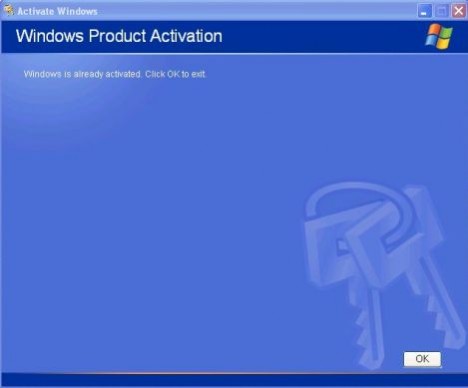
Else, you will be asked to let’s activate Windows now, which means that the copy of Windows XP installation is not yet activated.

Related Articles
- Volume Activation 2.0 Technical Guidance Updated for Windows Server 2008 and Vista SP1
- Install Windows XP SP3 Without Product Key and Use for 30 Days Free with Retail CD
- Windows Vista Activation FAQ (Myths and Facts)
- Windows XP SP3 Product Activation Still Require Product Key During Installation?
- Windows Vista 0×80070426 Activation Service Not Started or Validation Not Genuine Error
- KB 940510 Windows Vista Activation Anti-Crack Detector Re-Released as Important Update for All Languages
- Windows Vista Activation OEM Certificate (XrML .xrm-ms Digital License) Auto Installer
- Uninstall and Remove Vista Loader 2.1.3 (Activator 2008) Activation Crack
- Windows Server 2008 or Vista Activation Fails When Configure Third Party Firewall to Use HTTPS Authentication to Access Internet
- Windows Vista SP1 Failed to Install with WU Error Code 800704C8 or 80041315
October 15th, 2010 22:00
oobe is not recognized as an interneal or external command…
August 21st, 2010 20:43
This works perfectly! Thanks.
August 1st, 2010 22:16
Use windows XP activation killer its the best choice.
May 13th, 2010 23:29
[...] A virtual machine running Windows XP with full functionality and features of Windows XP Mode is now ready to be used. Here’s the method to check the activation status in Windows XP. [...]
March 30th, 2010 02:36
how to activate win xp sp 2??
January 3rd, 2010 03:43
heres another way
1. type RUN then CMD in the start menu
2 smlgr -dli (then enter after each one)
3 smlgr -xpr
4 smlgr -dlv
December 14th, 2009 04:38
http://torrents.thepiratebay.org/3468960/Windows_…
try this torrent, it works excellent if u are locked out of windows u can put this on a usb drive and boot in safe mode (f8) and then u can get back into windows as normal =)
July 4th, 2009 21:32
kartik.. how did u activate it??
April 29th, 2009 19:46
how to change window xp sp2 keygen when the window log on?
April 7th, 2009 07:58
hurray! key activated!
February 13th, 2009 12:46
i am trying to activate Windows XP. i can access the internet. when i go through the activitate windows i am told you cannot access the internet. i then went to register and gave up my information only to be told again that you cannot access the internet. i do not appreciate that. pleae help. thank you
February 4th, 2009 10:58
pls activated key?:(
December 29th, 2008 20:55
[...] Zur Überprüfung des Aktivierungsstatus einer Windows XP-Installation ruft man folgenden Befehl auf (Start -> Ausführen): oobe/msoobe /a via: How to Check Windows XP Product Activation Status ยป Tip and Trick. [...]
