


EjectMe! Yahoo! Widget Download to Eject and Close Optical Drive from Desktop
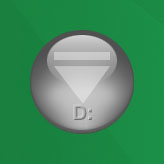 EjectMe! is a Yahoo! Widget that can be placed on desktop as a shortcut button to eject or open, and, if motorized (notebook computer out of luck), close the optical drives. (Also see create Eject CD/DVD shortcut and create Close CD/DVD shortcut) EjectMe! works in all version of Windows operating system, including Windows Vista with SP1.
EjectMe! requires the free Yahoo! Widget application to run. Once installed, EjectMe! can be renamed according to user’s preference, and been placed on desktop for quick access. It’s also possible to duplicate the .widget file to has many shortcuts on desktop for your many CD-ROM, DVD-ROM, CD writer, DVD burner and other optical drives.
To move the widget around, hover over edge of widget and drag by the border when it appears. Alternatively, simpy hold down the Control (Ctrl) key, and then click and drag.
Download EjectMe!


Recent Articles
- How To Download HBO Shows On iPhone, iPad Through Apple TV App
- Windows 10 Insider Preview Build 19025 (20H1) for PC Official Available for Insiders in Fast Ring – Here’s What’s News, Fixes, and Enhancement Changelog
- Kaspersky Total Security 2020 Free Download With License Serial Key
- Steganos Privacy Suite 19 Free Download With Genuine License Key
- Zemana AntiMalware Premium Free Download For Limited Time