


Ways to Prolong Your Mobile Phone Standby Time
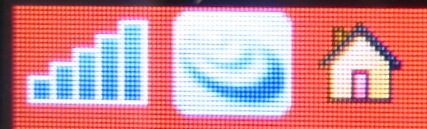
Sony Ericsson mobile phone owners! Ever wondered what are the two “blue triangular” shapes on your top left corner display stands for?
Well, the lower one which looks more like a bar chart is obviously your network signal strength indicator.

The blue triangle directly above it is actually the “online status” indicator. And this is the symbol which eats up your phone battery. You can choose if you are always online or you will start a new connection to the net (for browsing) each time.
To switch it off, go to MENU > SETTINGS and select the CONNECTIVITY tab. Then go to DATA COMMUNICATION > PREFERRED SERVICE. Choose “CS Only” and not “PS and CS”.
Notes:
PS stands for Packet Switch Data (GPRS) and
CS stands for Circuit Switch Data (dial up).
By switching to CS Only, you’ll need 2-3 seconds longer time to go online but can definitely prolong your mobile phone battery. Few seconds longer? I can live with that.
There will be more tips on Sony Ericsson mobile phones coming soon.


Recent Articles
- How To Download HBO Shows On iPhone, iPad Through Apple TV App
- Windows 10 Insider Preview Build 19025 (20H1) for PC Official Available for Insiders in Fast Ring – Here’s What’s News, Fixes, and Enhancement Changelog
- Kaspersky Total Security 2020 Free Download With License Serial Key
- Steganos Privacy Suite 19 Free Download With Genuine License Key
- Zemana AntiMalware Premium Free Download For Limited Time