


Fujitsu New ScanSnap S1500 and S1500M Scanners
Fujitsu had recently introduced two new ScanSnap S1500 and S1500M scanning solutions for PC and Macintosh users, respectively. Both are designed with the same ease-of-use as its predecessors, while providing additional productivity features to help streamline business operations. The new Fujitsu ScanSnap offer advanced intelligent scanning features, enhanced speeds and new productivity functionality – all at only $495(USD).
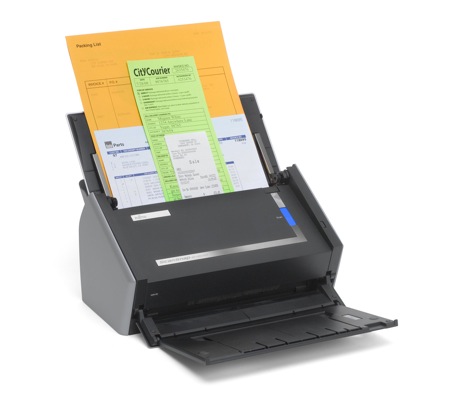
Both ScanSnap S1500 and S1500M come with advanced features to make scanning much easier and more intuitive. Now, users can scan a variety of documents without having to adjust the scanner settings. Just a simple push of a button, ScanSnap’s new intelligent paper feed detection and ultrasonic technology, will automatically select the page size, page orientation, color setting and even detect whether your documents are printed in double-sided or single-sided.

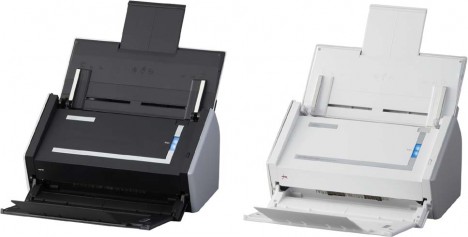
With the newly designed ScanSnap Manager and Quick Menu users can scan up to 20 pages of documents per minute (ppm) or 40 images per minute (ipm) directly to a printer, save scans to selectable folders or even send scans directly to emails. Through S1500 CardMinder 4.0, business cards can be easily scanned and its information exported into Outlook, Act! or Goldmine.
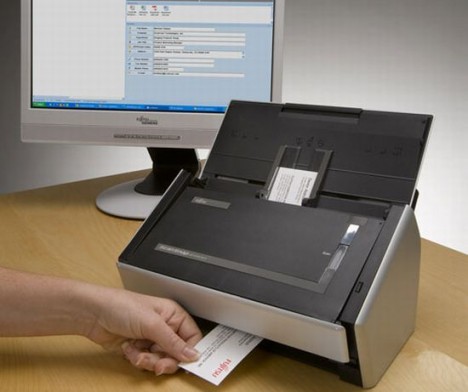
Others additional innovative Fujitsu ScanSnap scanner features include:
- One button searchable PDF, PDF and JPEG scanning
- Dual 600dpi color CCD optical scanning array
- Automatic color and grayscale detection
- Automatic blank page detection and deletion
- Automatic paper size detection
- Automatic image de-skew
- Business card scanning and export capabilities
- “Always On” Fujitsu ScanSnap Manager software
- Integrated, power-saving automatic document-feed cover
- USB 2.0 support
- Integrated ENERGY STAR® and Restriction of Hazardous Substances (RoHS) compliance


Recent Articles
- How To Download HBO Shows On iPhone, iPad Through Apple TV App
- Windows 10 Insider Preview Build 19025 (20H1) for PC Official Available for Insiders in Fast Ring – Here’s What’s News, Fixes, and Enhancement Changelog
- Kaspersky Total Security 2020 Free Download With License Serial Key
- Steganos Privacy Suite 19 Free Download With Genuine License Key
- Zemana AntiMalware Premium Free Download For Limited Time