


How to Check Windows XP Product Activation Status
Windows XP has less stringent Windows Product Activation algorithm compared with Windows Vista. For example, PC computers from branded OEM (original equipment manufacturer) is activated out-of-factory, and most hackers and pirates go for volume licensing (commonly known as VL or VOL) version of Windows XP Professional which when installed with a volume product key (VLK), does not require user to activate again online or by phone.
However, Windows XP does require product activation too. Doesn’t need (as in the case of when using OEM or VLK product key, which is instantly and automated activated) to perform steps to activate Windows XP doesn’t mean that Windows XP is not activated, and activated Windows XP is one of the requirement for the installed copy of operating system to be considered by genuine by Windows Genuine Advantage (WGA) Validation Tool.
To check, view or verify the Windows XP current activation status, open Run command from Start Menu, and run the following command:
oobe/msoobe /a
A “Activate Windows” dialog window will open to let user know the activation status. If the Windows XP has been activated, the message is “Windows is already activated. Click OK to exit.”
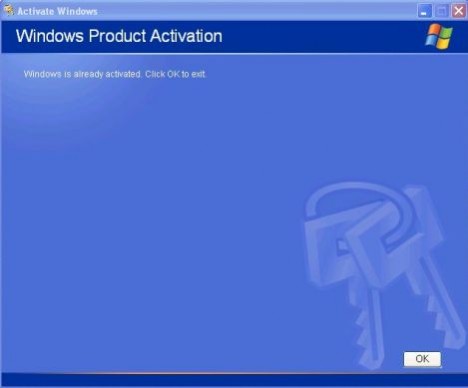
Else, you will be asked to let’s activate Windows now, which means that the copy of Windows XP installation is not yet activated.


Recent Articles
- How To Download HBO Shows On iPhone, iPad Through Apple TV App
- Windows 10 Insider Preview Build 19025 (20H1) for PC Official Available for Insiders in Fast Ring – Here’s What’s News, Fixes, and Enhancement Changelog
- Kaspersky Total Security 2020 Free Download With License Serial Key
- Steganos Privacy Suite 19 Free Download With Genuine License Key
- Zemana AntiMalware Premium Free Download For Limited Time